Close the month with fewer spreadsheets.
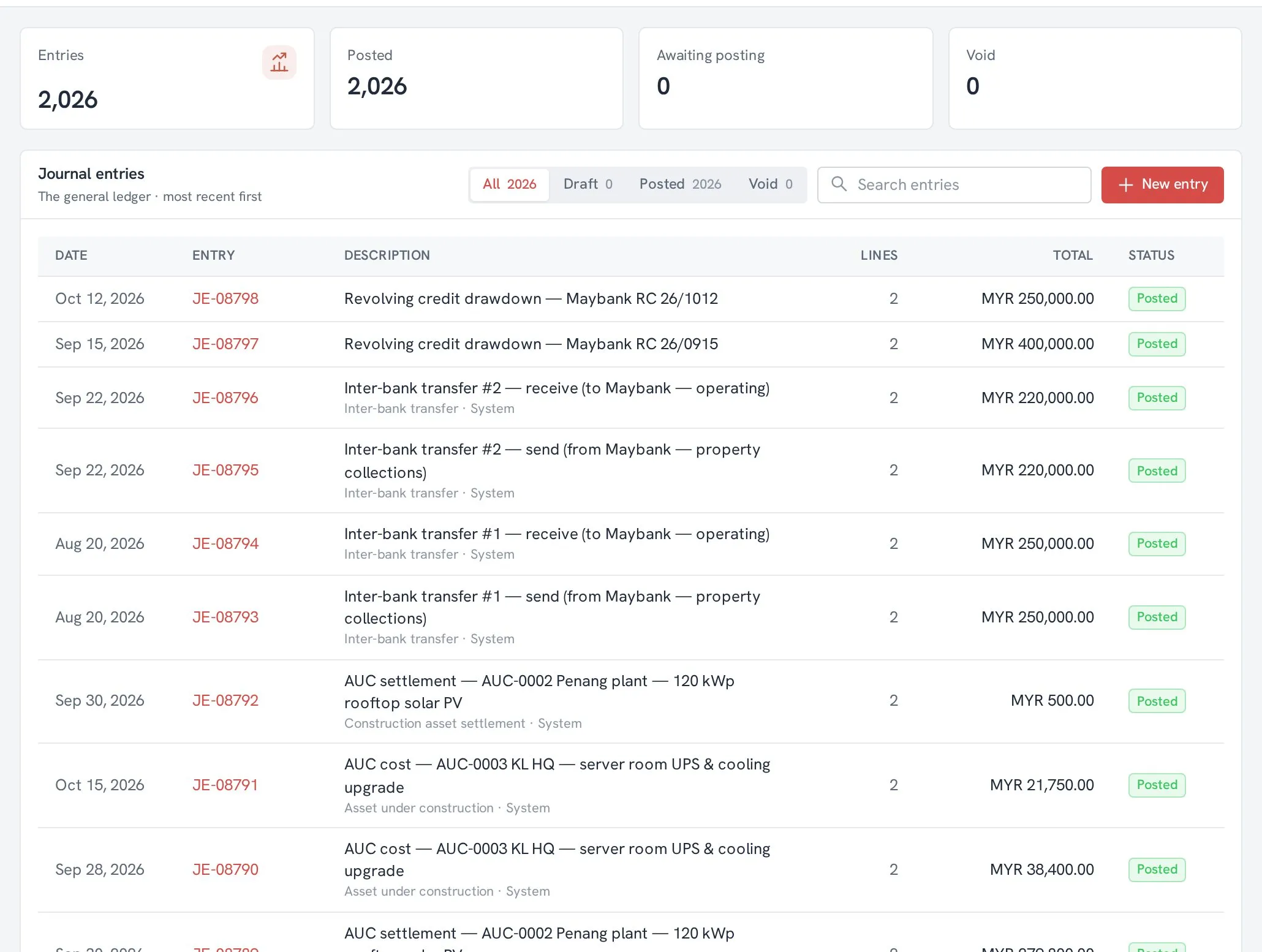
Sales, purchasing, stock and payroll post to the ledger as the work happens, so month-end is checking, not re-typing.
The day before Nyra.
- Invoices, bills and stock live in different tools that never agree.
- Month-end means exporting, matching and re-typing.
- Nobody can say where a number in the report came from.
What changes for you.
-
01
Documents post themselves
Invoices, credit memos, goods receipts and supplier bills become journal entries, each linked back to its source.
-
02
Banks and cash in one place
Bank accounts, receipts, payment runs and bank reconciliations without a spreadsheet in between.
-
03
Any currency
Multi-currency documents with FX revaluation, posting periods and recurring journals.
-
04
E-invoicing in the same app
Where the tax office requires e-invoices, Nyra sends them from the invoice itself. No separate portal.
The modules you will use most.
- AccountingOne ledger the whole business posts to.
- ReportsEvery report reads the same ledger.
- Fixed assetsFixed assets from purchase to disposal.
- Budgets & programmesEvery spend tagged to the budget it comes from.
- PayrollPayslips from a template, posted in one entry.
- Expense claimsClaim, approve, reimburse, posted.
Answers without the chasing.
Ora answers from your own workspace and only sees what you are allowed to see.
Meet Ora → Checking your workspace now.
Questions we hear first.
Can we bring our opening balances?
Yes. Your chart of accounts, customers, suppliers, items and journal entries come in through the import wizard, and you check every row before it is saved. Opening balances have their own screen.
Does Nyra handle more than one currency?
Yes. Documents can be in any currency, with FX revaluation at period end.
Can our accountant work in Nyra too?
Yes. Give your accountant their own login with the access they need.
Put your whole company in one app.
- ✓ A walkthrough on a demo workspace, shaped around your business
- ✓ Your price for your team size
- ✓ A switching plan with dates
Book a demo