
MyInvois e-invoicing, from the invoice.
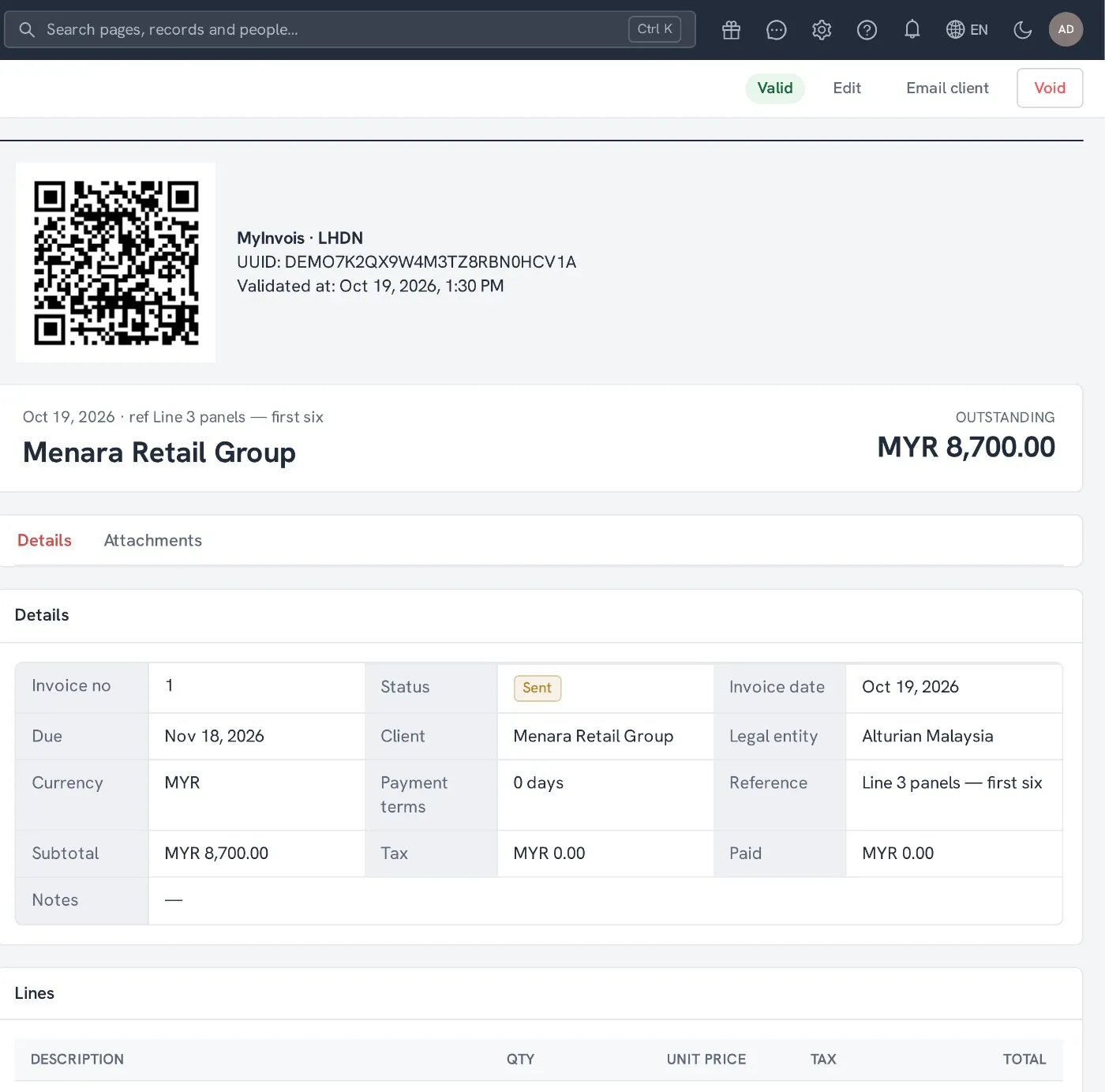
Nyra builds, signs and submits your e-invoices to LHDN’s MyInvois. When an invoice is validated, its UUID, validation time and QR code appear on the invoice and its PDF.
Three steps, all inside Nyra.
-
1
Send the invoice
Nyra builds the e-invoice from it: customer, lines, tax and totals.
-
2
Nyra submits it
Signed with your company’s certificate and sent to MyInvois. No portal, no re-typing.
-
3
Validated
The UUID, validation time and QR code come back onto the invoice and its PDF.
Menara Retail Group · MYR 8,700.00
UUID DEMO7K2QX9W4M3TZ8RBN0HCV1A
Validated Oct 19, 2026, 1:30 PM
What Nyra handles for you.
-
01
Invoices, credit and debit notes
Client invoices go as invoices, and sales memos go as credit or debit notes against them.
-
02
Consolidated e-invoices
Sales made without a buyer’s details, such as at the counter, are gathered into a monthly consolidated e-invoice.
-
03
Received e-invoices
E-invoices your suppliers submit to you are pulled into Nyra and matched to the supplier bill.
-
04
Sandbox first
Each company connects to the MyInvois sandbox before production. Nyra checks the connection and tracks certificate expiry.
-
05
Errors you can act on
When MyInvois rejects a document, the reason shows on the invoice so the right person can fix and resubmit it.
-
06
Cancellation window
Valid e-invoices that are close to the end of their cancellation window are flagged for attention.
See MyInvois on a demo workspace.
- ✓ A walkthrough on a demo workspace, shaped around your business
- ✓ Your price for your team size
- ✓ A switching plan with dates
Book a demo